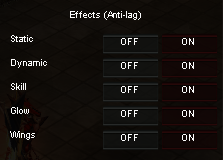
Anti-Lag options
*IMPORTANT: Players who had issues with lags on client:
1) Get latest Game Client/Patch version
2) In Game Client folder open file Settings.ini and change setting DisableNewFPS = 0 to DisableNewFPS = 1
(after that, re-open game client)
General info:
* Anti-Lag options purpose is to reduce MU special effects and other resource heavy features while playing events where performance matters.
* Press F7 key and simple select all options to improve performance and stabilize FPS (especially in more crowded spaces).
* To open basic option menu, click: ESC + Options and simple turn OFF some/all the options
(F7 key) Performance & FPS improvements:
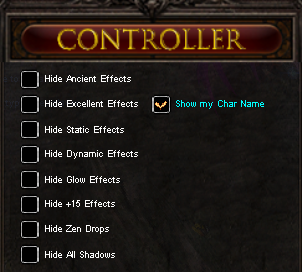
(ESC + Options) Anti-Lag options: